In this topic, you will learn, how to edit and update an existing connection.
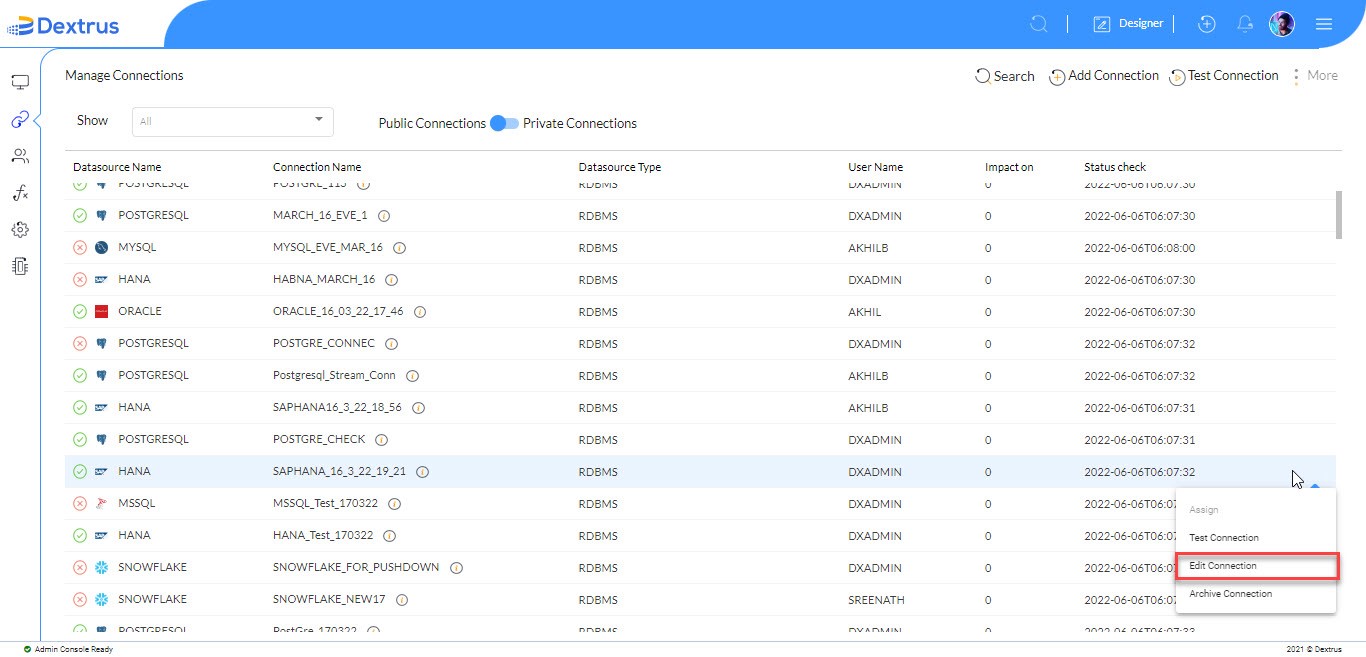
- Edit Connection: Click the Edit Connection option to edit and update an existing connection.
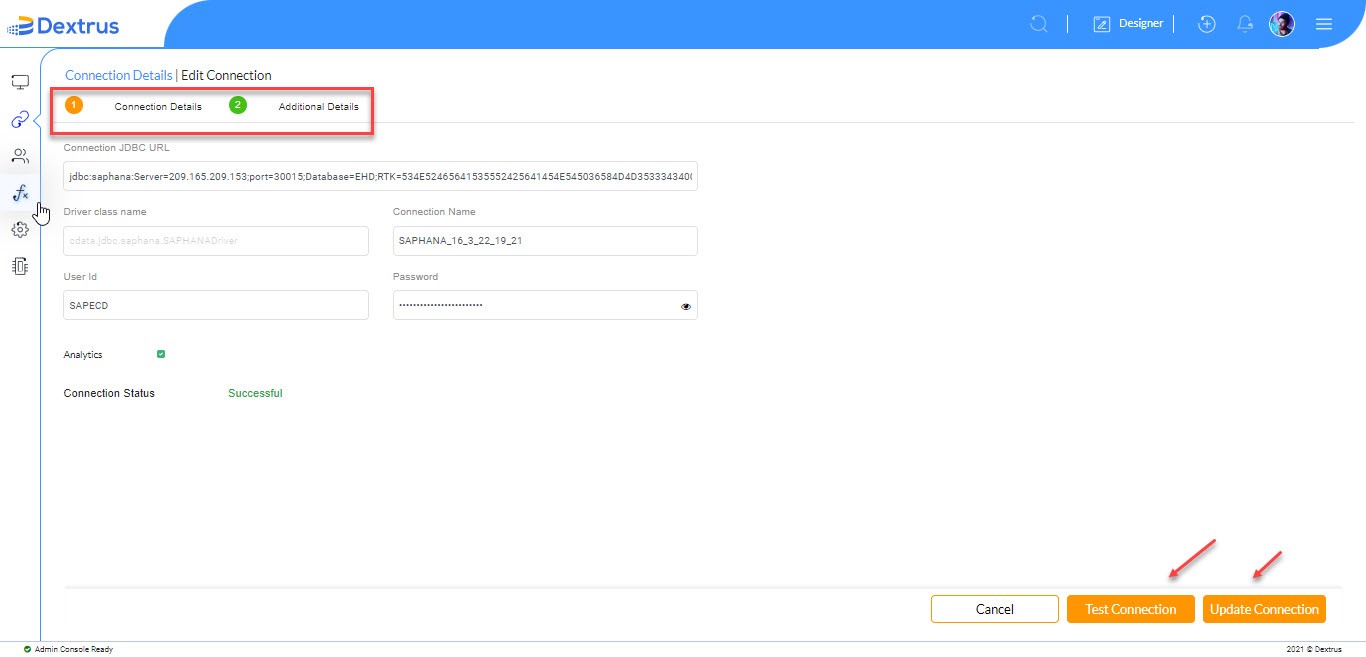
- The Edit Connection page appears with Connection and Additional Details tabs for the selected connection.
- Click the Test Connection button to recheck the updated connection details status. If the Connection status is ‘Successful’ it implies the updated connection details are correct.
- Click the Update Connection button to update the Connection and Additional Details changes.