In this topic, you will learn:
How to Copy assets to.
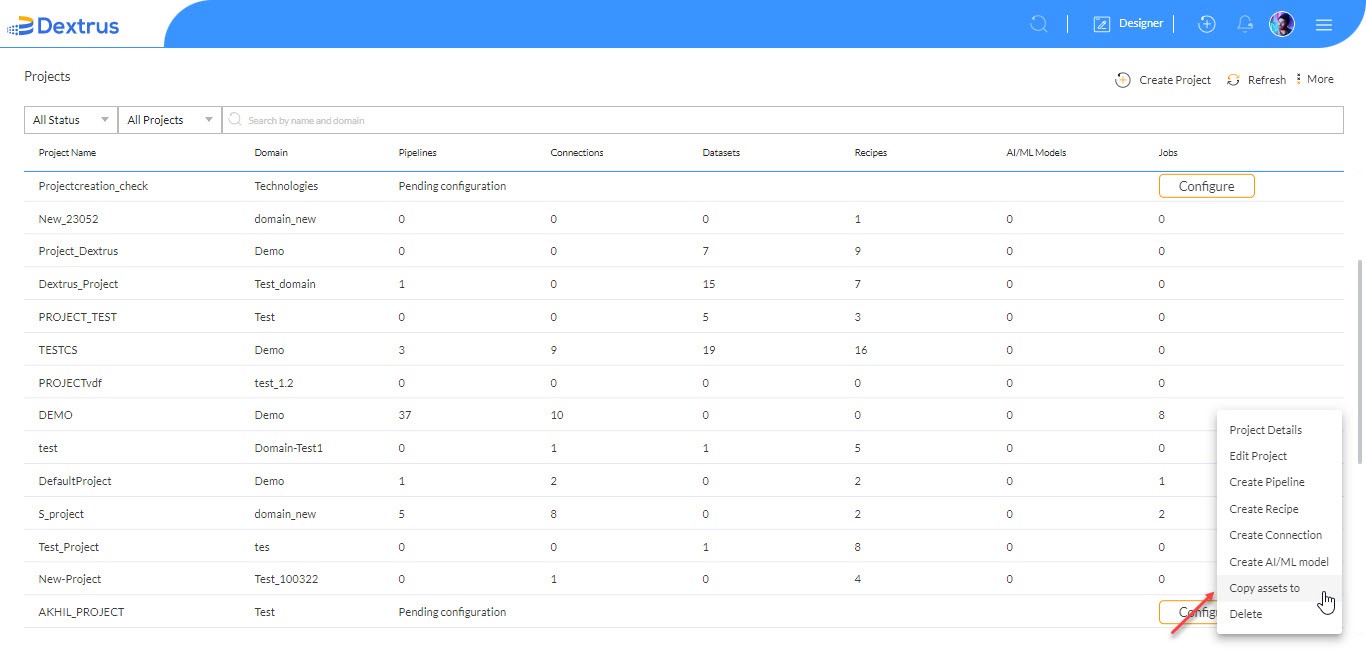
- Click the Copy assets option to copy one project assets (Pipeline, Dataset, Connection, Recipe, and AI/ML) to other projects.
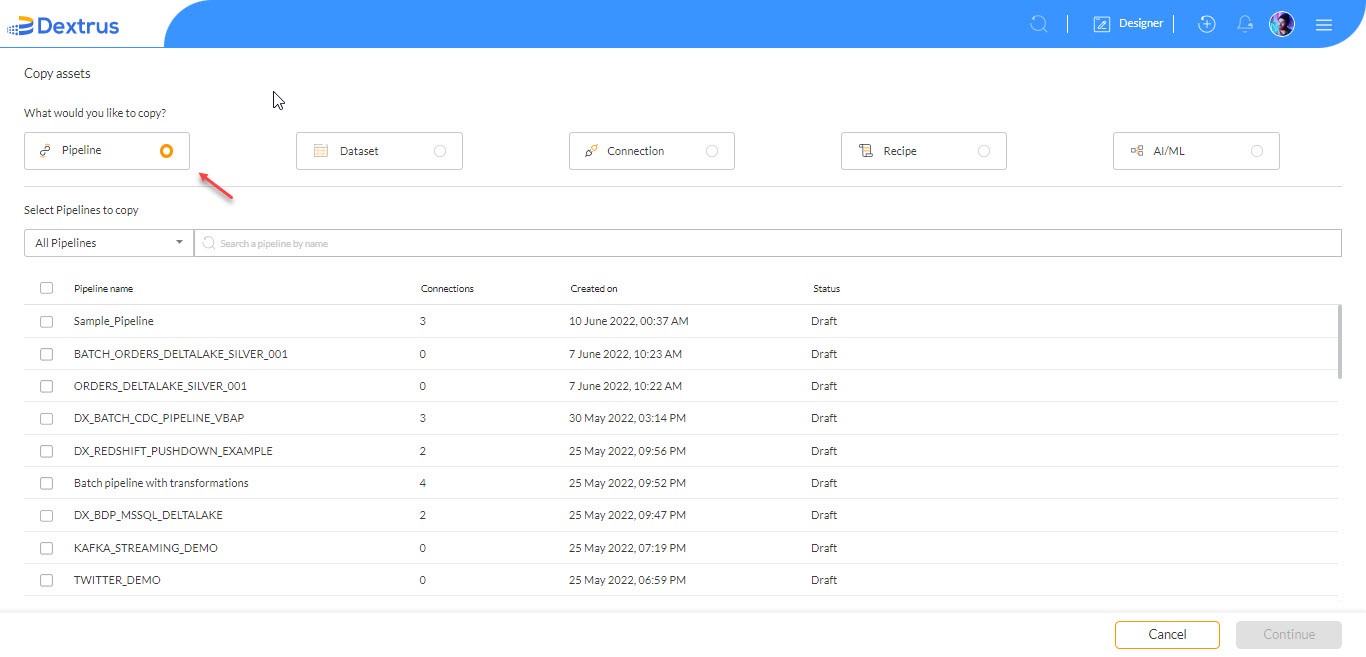
- Select the radio button against any asset to copy for.
Note: You can only select one asset and copy it to another project.
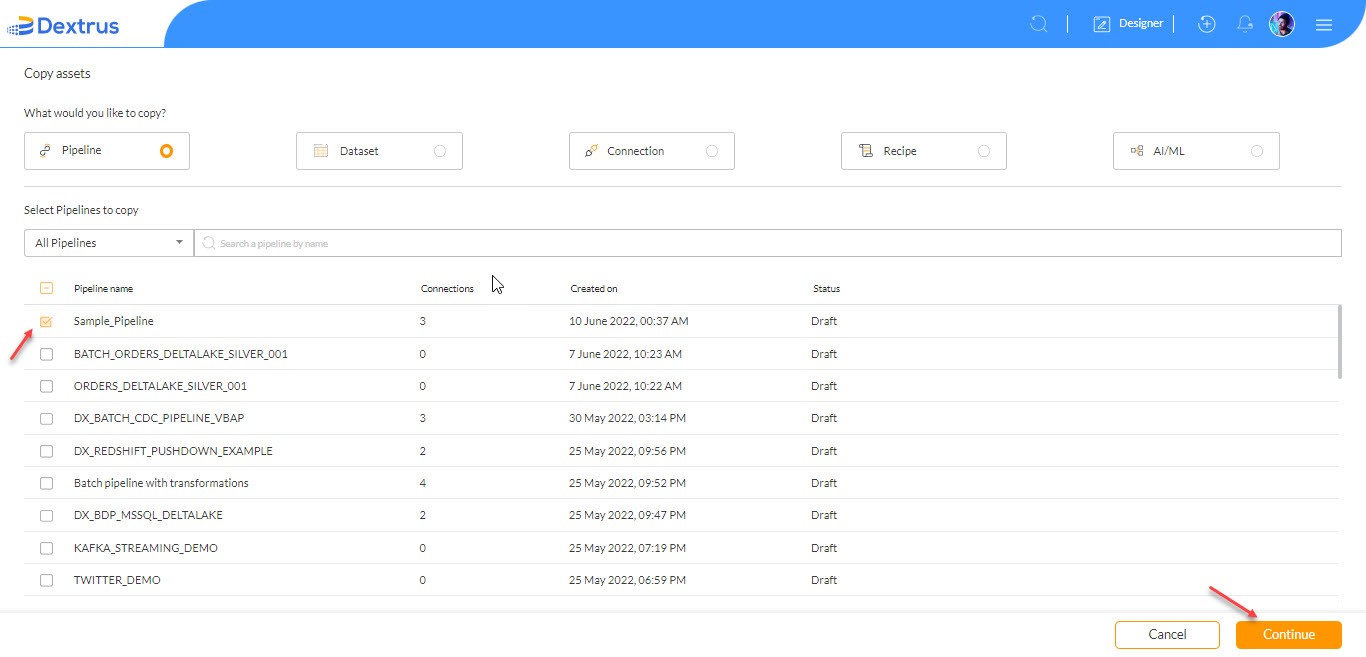
- For example: Let us select a Pipeline ‘Sample_Pipeline’ from the list.
Note: The Select Pipelines to copy drop-down list displays Batch Pipeline, Bulk Data Pipeline, Streaming Pipeline, and Bulk Streaming Pipeline.
- Click the Continue button to select the target project to copy source project assets to it.
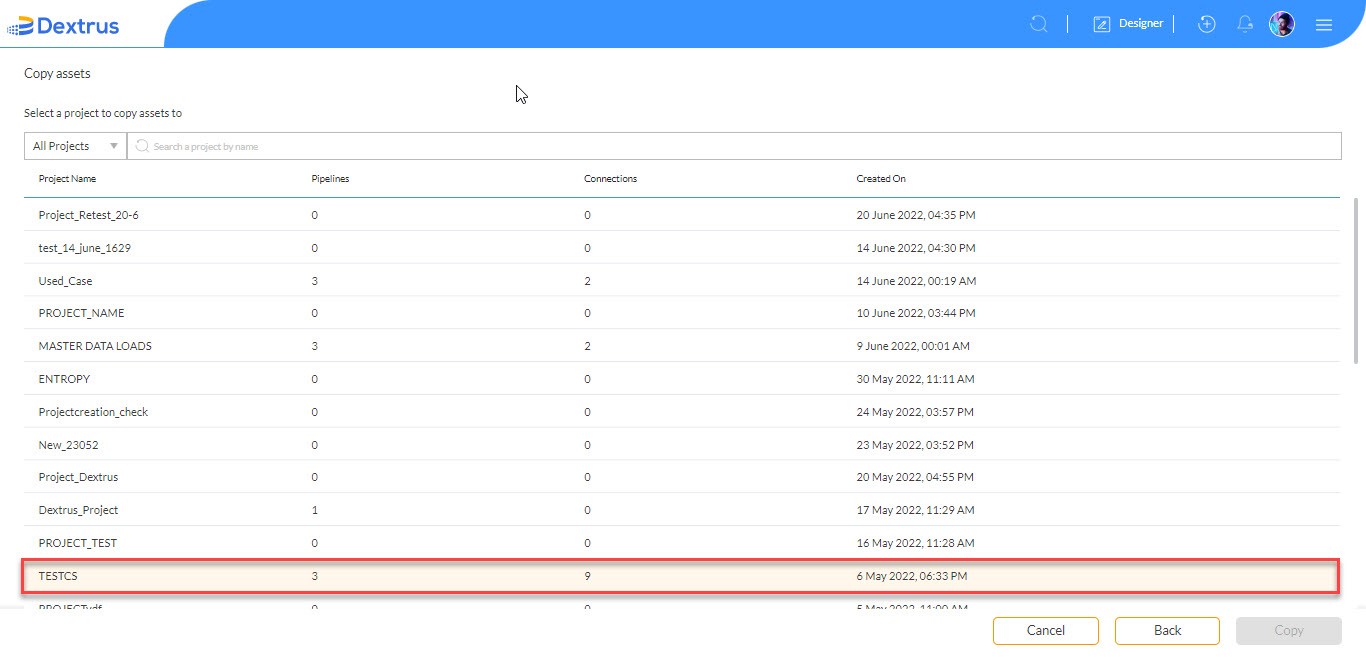
- For example: Select ‘TESTCS’ target project.
- Click the Copy button.
- At any point in time, you can change the target project using the ‘change’ option.
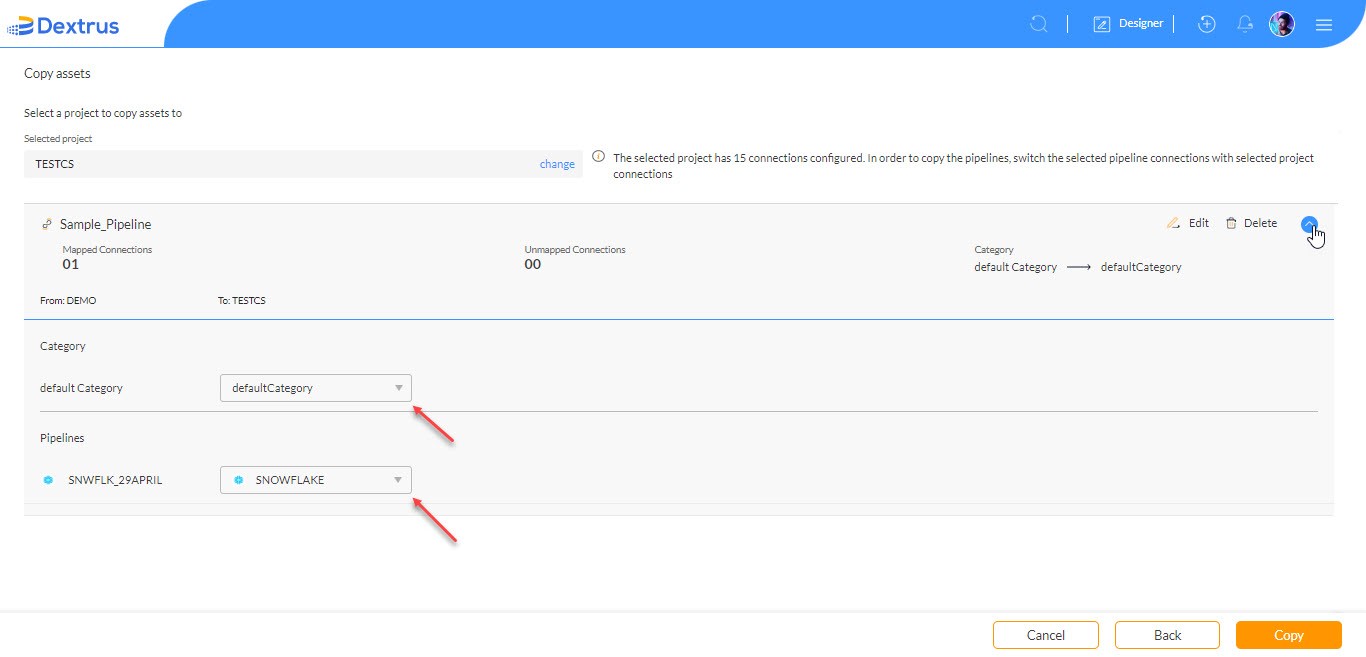
- Click the drop-down icon to change the selected Pipeline Asset Category and Pipelines connection in the target project.
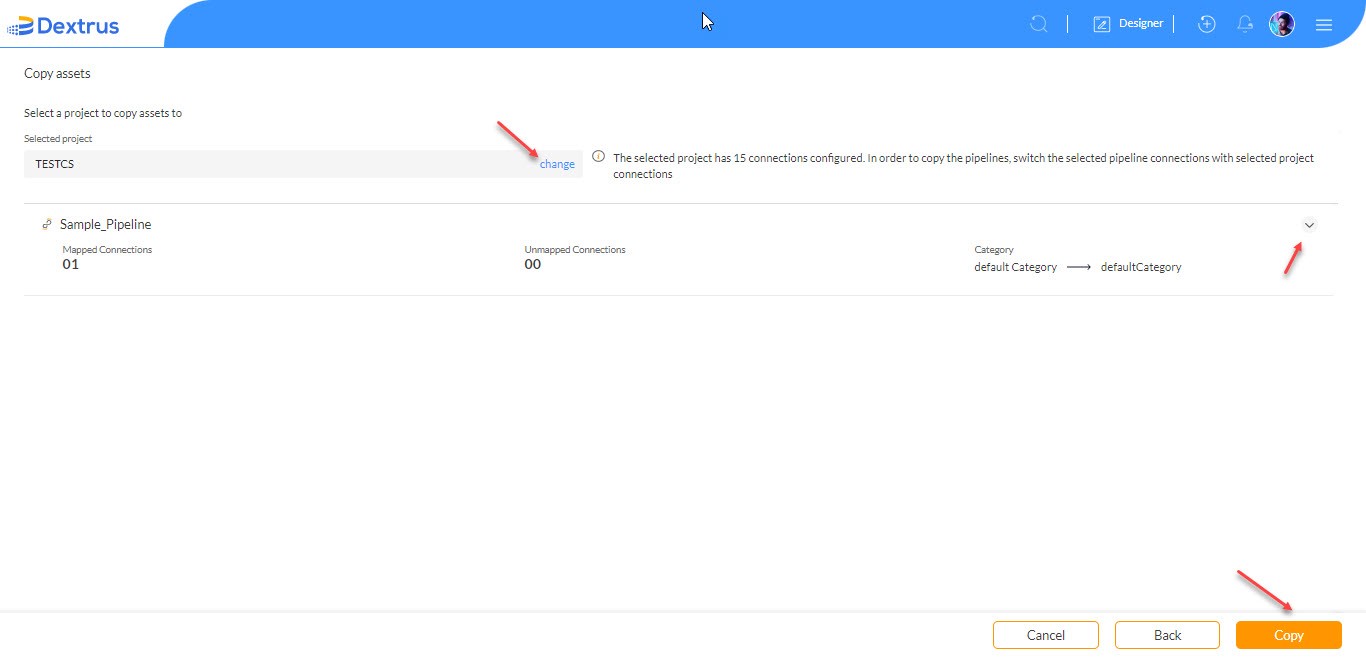
- Click the Copy button to confirm the asset to be copied.
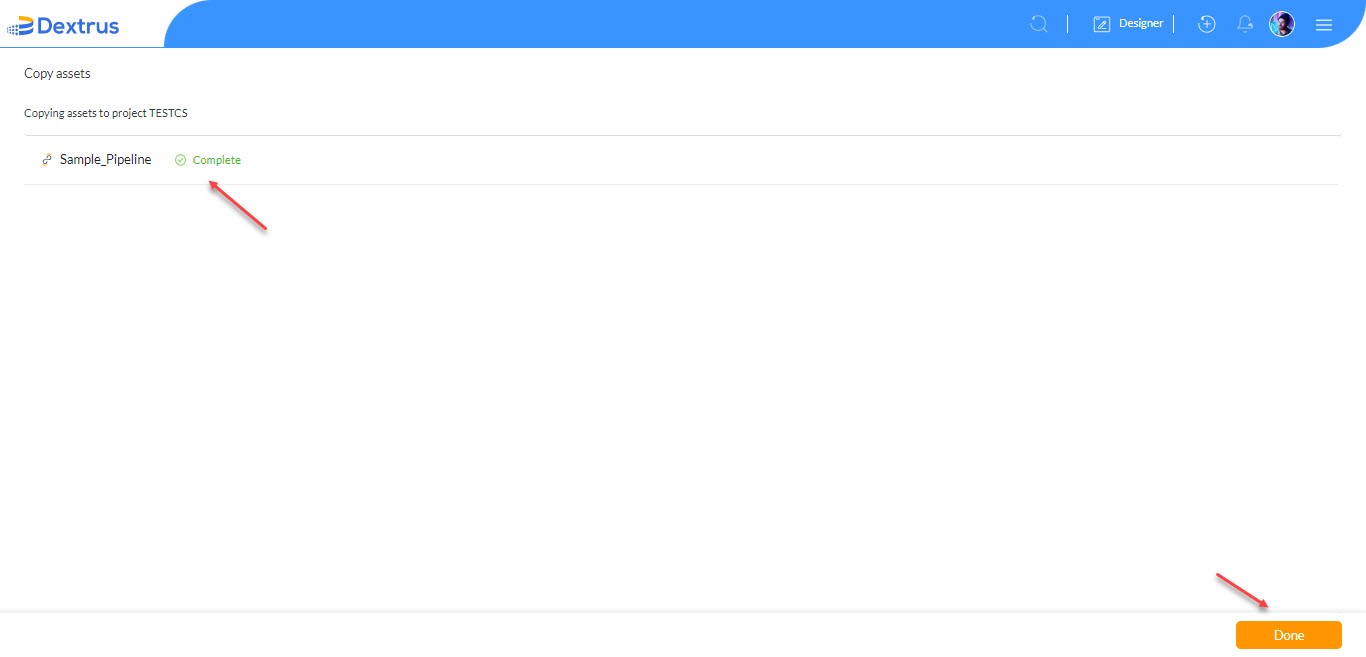
- A Complete status is displayed against the asset that was successfully copied to the target project.
- Click the Done button to complete the copy functionality.